
Clean, optimize & speed up your WooCommerce store
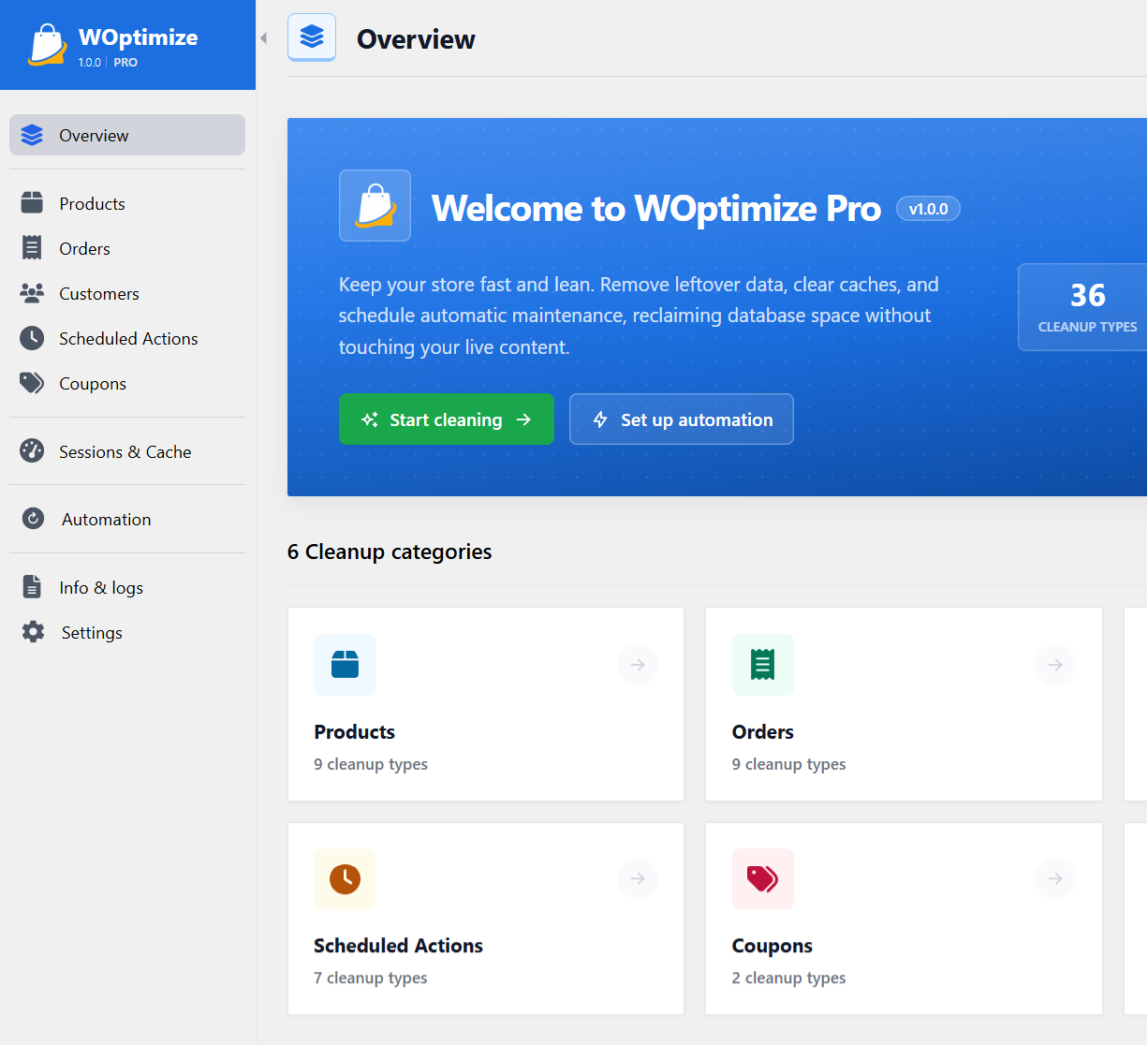
The WOptimize plugin removes orphaned data, purges stale orders and sessions, and clears caches, keeping your WooCommerce store fast, lean and clutter-free, with safe previews and automated scheduling.
Choose Your Plan
Join 30,000+ professionals who trust our plugins to keep their WooCommerce stores fast, clean, and optimized
Starter
Buy Now
-
License for 1 site The number of sites you can activate and use the plugin on with this plan.
-
All premium features Access to all advanced features and premium functionalities of the plugin.
-
1 license transfer You can transfer your license once, allowing you to move the plugin to a different store if needed.
-
Standard support Standard support includes help with installation, setup, general usage, and resolving issues.
-
Technical support Technical support provides personalized assistance, including a direct review of your store to help identify and verify data that can be safely cleaned.
Standard
Buy Now
-
License for 5 sites The number of sites you can activate and use the plugin on with this plan.
-
All premium features Access to all advanced features and premium functionalities of the plugin.
-
Unlimited license transfer You can transfer your license between different stores as many times as you need.
-
Priority support Priority support ensures your inquiries are addressed promptly, providing faster assistance for your needs.
-
Technical support Technical support provides personalized assistance, including a direct review of your store to help identify and verify data that can be safely cleaned.
Agency
Buy Now
-
License for unlimited sites The number of sites you can activate and use the plugin on with this plan.
-
All premium features Access to all advanced features and premium functionalities of the plugin.
-
Unlimited license transfer You can transfer your license between different stores as many times as you need.
-
Premium support Premium support provides top-priority assistance with rapid, effective issue resolution, including coverage during weekends and holidays.
-
Technical support Technical support provides personalized assistance, including a direct review of your store to help identify and verify data that can be safely cleaned.

100% No-Risk Money Back Guarantee
Try it with complete confidence. If the plugin doesn't deliver the results you expect, we'll refund your purchase in full within 30 days - no conditions, no stress.
- Full refund within 30 days
- No questions asked
- Cancel anytime
 Founder, SigmaPlugin
39 Essential WooCommerce Cleanup Tools
Everything you need to keep your WooCommerce store clean, fast, and optimized
Products
- Trashed products
- Auto-draft products
- Product revisions
- Orphaned product variations
- Unused product attributes
- Orphaned product terms
- Orphaned comments
- Orphaned product meta
- Orphaned product reviews
- Products with missing data
Customers
- Customers with no orders
- Orphaned customer meta
- Orphaned customer analytics
- Inactive customers
Orders
- Pending orders
- Abandoned guest orders
- Failed orders
- Canceled orders
- Trashed orders
- Orphaned order items
- Orphaned order itemmeta
- Orphaned addresses
- Orphaned operational data
- Orders with missing user
Coupons
- Expired coupons
- Unused coupons
Scheduled Actions
- Completed actions
- Failed actions
- Canceled actions
- Completed action logs
- Failed action logs
- Canceled action logs
- Orphaned action logs
Sessions & Cache
- Expired customer sessions
- WooCommerce transients
- Theme info cache
- WooCommerce Analytics cache
- Template cache
- WooCommerce.com cache
Put your store cleanup on autopilot
Set it once and WOptimize keeps your WooCommerce store lean - running the cleanups you choose, on the schedule you set
-
1
Choose what to clean
Bundle any cleanup operations (orders, products, sessions, etc.) into a single task
-
2
Set the schedule
Run hourly, daily, weekly or monthly - whatever cadence your store needs
-
3
It runs automatically
WOptimize executes each task in the background, completely hands-off
-
4
Review the log
Track every automated run with a full, per-task events history of what was cleaned
Even more flexibility with these features
Powerful features designed to give you complete control over your WooCommerce store
See exactly what will be deleted before running a cleanup. No surprises!
Keep last n items or x days of data when cleaning. You decide what to clean and what to keep!
Clean your store with a single click or select specific items to delete in bulk
Clean and optimize your stores with confidence across all sites in your network
Quickly find specific items to clean using powerful filters and search capabilities
The plugin relies on native WordPress/WooCommerce functions for maximum safety
Tailor the plugin behavior to your needs with a variety of configuration options
Easily access system information and detailed logs for troubleshooting
Frequent updates to ensure compatibility with the latest WordPress/Woo versions
Don't Just Take Our Word for It
See what our customers say about their experience with our plugin.
Perfect for busy stores
Our WooCommerce store had accumulated years of abandoned guest orders. The plugin cleaned everything safely and noticeably improved our database performance.
@storeowner

Easy and safe cleanup
I love being able to preview exactly what will be removed before cleaning. It makes optimizing a WooCommerce store simple, safe, and stress-free.
Emma W.
Keeps our store optimized
The scheduled cleanups save us time by automatically removing unnecessary WooCommerce data. Our store stays lean, organized, and performs much better.
Michael Carter
Join 30,000+ satisfied WordPress site owners who trust our plugins
Frequently Asked Questions
Have a question? Browse our most frequently asked questions below for quick answers, or contact us, we're always happy to help.
Why do I need this plugin?
Every WooCommerce store collects unnecessary data over time. Old orders, expired sessions, abandoned carts, orphaned product data, obsolete analytics, etc. "WOptimize" helps you safely identify, clean, and automate the removal of this data, keeping your store lean, fast, and running at its best.
Do I need technical knowledge to use the plugin?
No. WOptimize includes built-in safety checks, clear warnings, preview options, and recommended cleanup actions, so both beginners and experienced WooCommerce store owners can clean their stores with confidence.
Will the plugin break my store?
No. The plugin uses safe WordPress/WooCommerce functions, includes warnings for sensitive items, and never deletes anything without your confirmation. However, we highly recommend taking a full backup of your store before performing any cleanups.
Can I upgrade my license later?
Absolutely. You can upgrade at any time and pay only the difference between your current plan and the new one. No need to buy a full license again.
Can I deactivate my license from one store and use it on another?
Yes. You can deactivate your license from any store at any time and reuse it on a new one. Simply deactivate from the plugin's License page, or remove it from your account dashboard.
Is the plugin compatible with Multisite?
Yes. "WOptimize" supports multisite installations. Each store (subsite) requires its own license activation. For example, if your network contains 5 WooCommerce stores, you will need 5 licenses to activate the plugin on all of them.
Can I use the plugin on my clients' stores?
Yes. As long as your license allows multiple activations, you can use it on client stores. Many agencies use "WOptimize" to maintain and optimize their clients' WooCommerce stores.
Do you offer a money-back guarantee?
Absolutely. We offer a 30-day, no-questions-asked, 100% money-back guarantee. If you're not satisfied, you get a full refund.
Is the plugin GDPR compliant?
Yes. The plugin does not store any personal data or send any data to external servers. It operates entirely within your WordPress installation, ensuring compliance with GDPR and other privacy regulations.
Does the plugin work with big stores?
Yes. The plugin is designed to handle both small and large WooCommerce stores. For very large stores, you can fine-tune settings such as row batch size to optimize performance when processing large amounts of data.
Resources
Technical specifications and helpful resources to better understand the plugin